My Role
UX Research
UI Design
Prototyping
Design Systems
UI Design
Prototyping
Design Systems
My Team
Elijah Cruzado
Ibtida Hasib
Annie You
Radiya Aheto
Ibtida Hasib
Annie You
Radiya Aheto
Duration
4 Months
Tools
Figma
Miro
Adobe CC
Miro
Adobe CC
The Problem
When browsing, finding the right restaurant based on user preference may be difficult when presented with a large selection.
Often times, authenticity is questioned, that could aid in indecisiveness and disappointment.
Group planning can be a hassle for users, everyone has different availabilities and wants/needs.
Often times, authenticity is questioned, that could aid in indecisiveness and disappointment.
Group planning can be a hassle for users, everyone has different availabilities and wants/needs.
The Solution
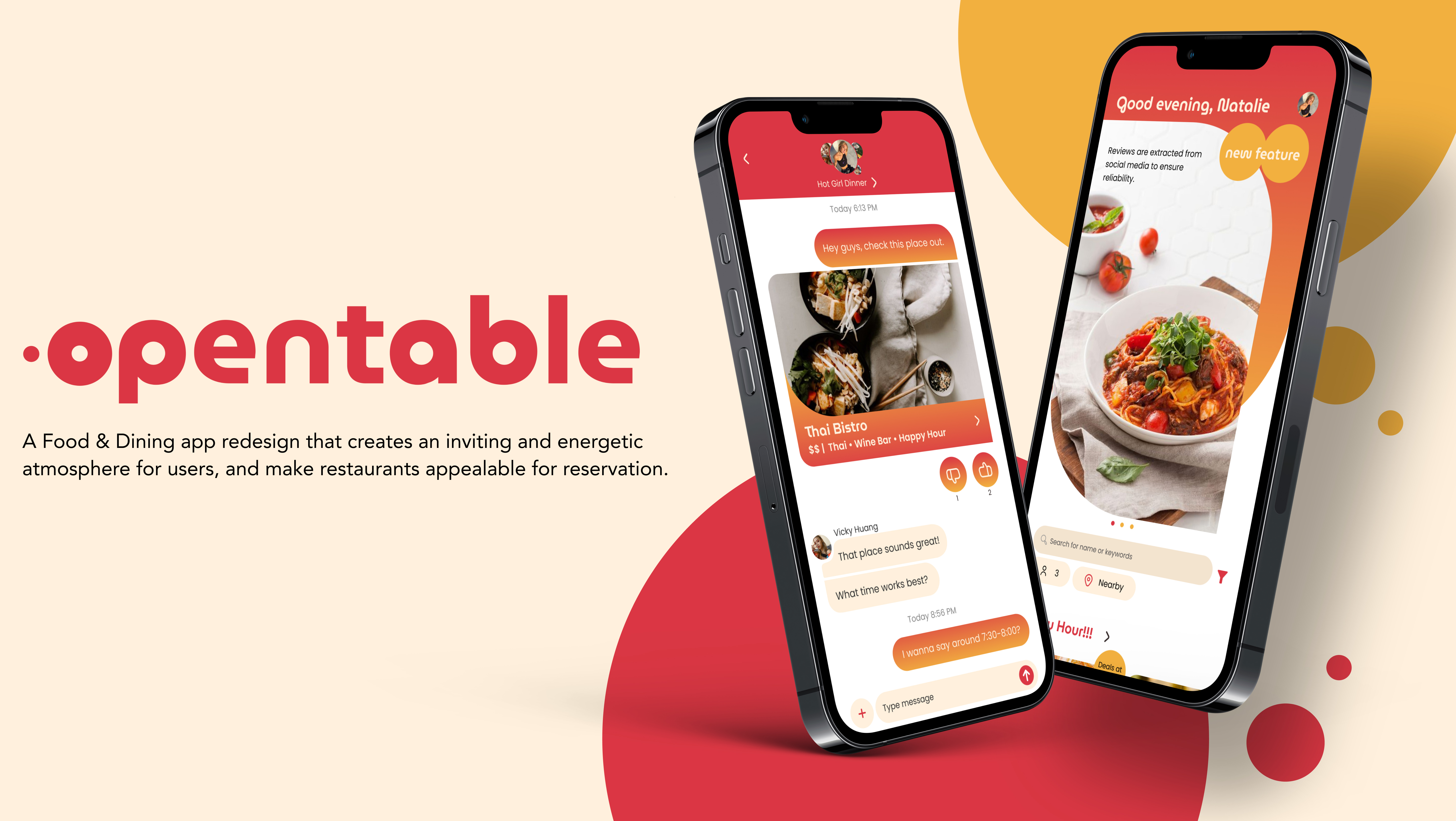
The new Opentable app utilizes warm colors to accentuate food images, creating an inviting and energetic atmosphere for users, and make restaurants appeal for reservation.


01 UI DESIGN
Feature 1
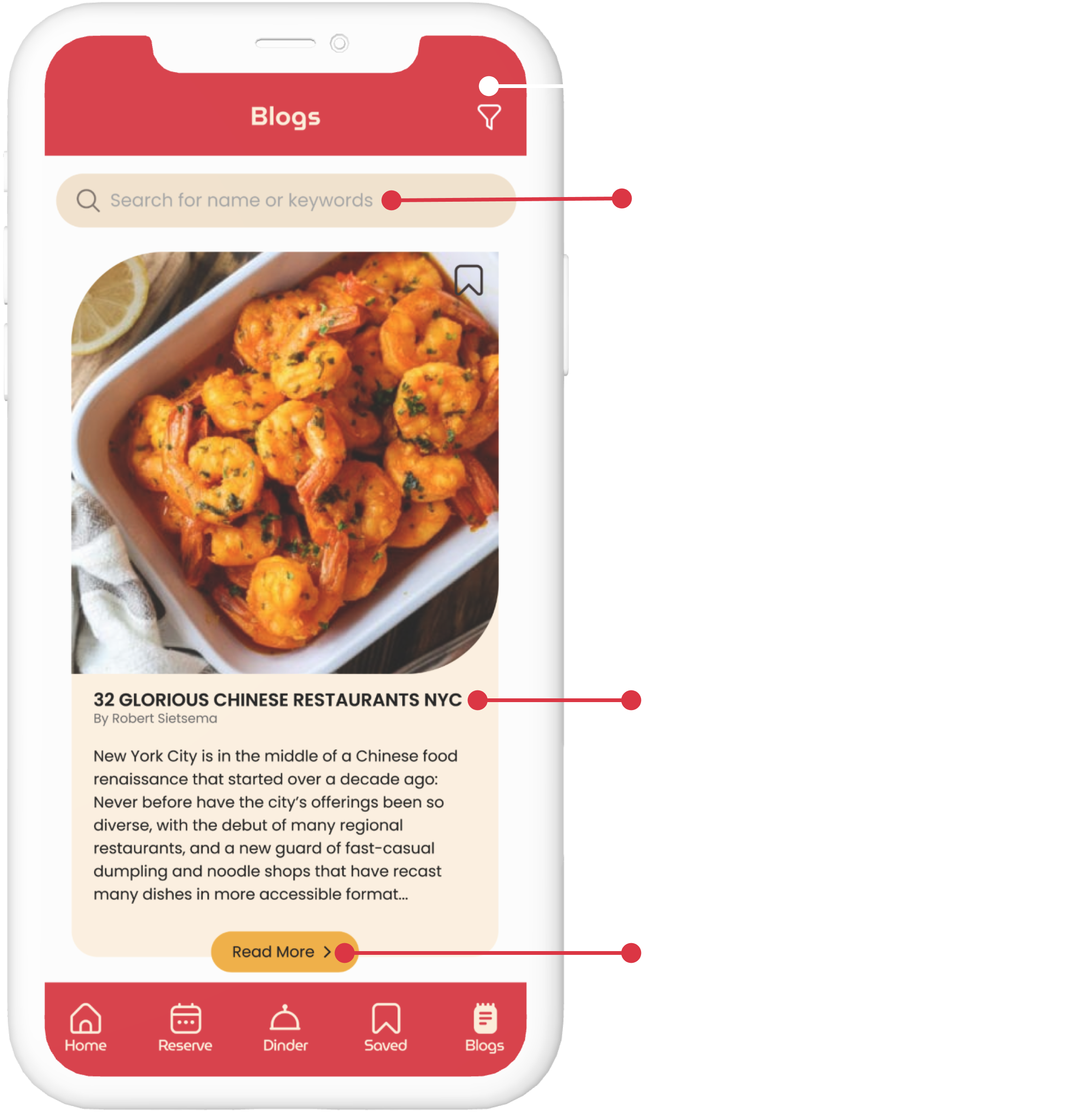
Utilizes data from the internet to help users with decision making. Data includes but is not limited to reels, photos, videos, tweets, articles and blogs.
Data from Real People
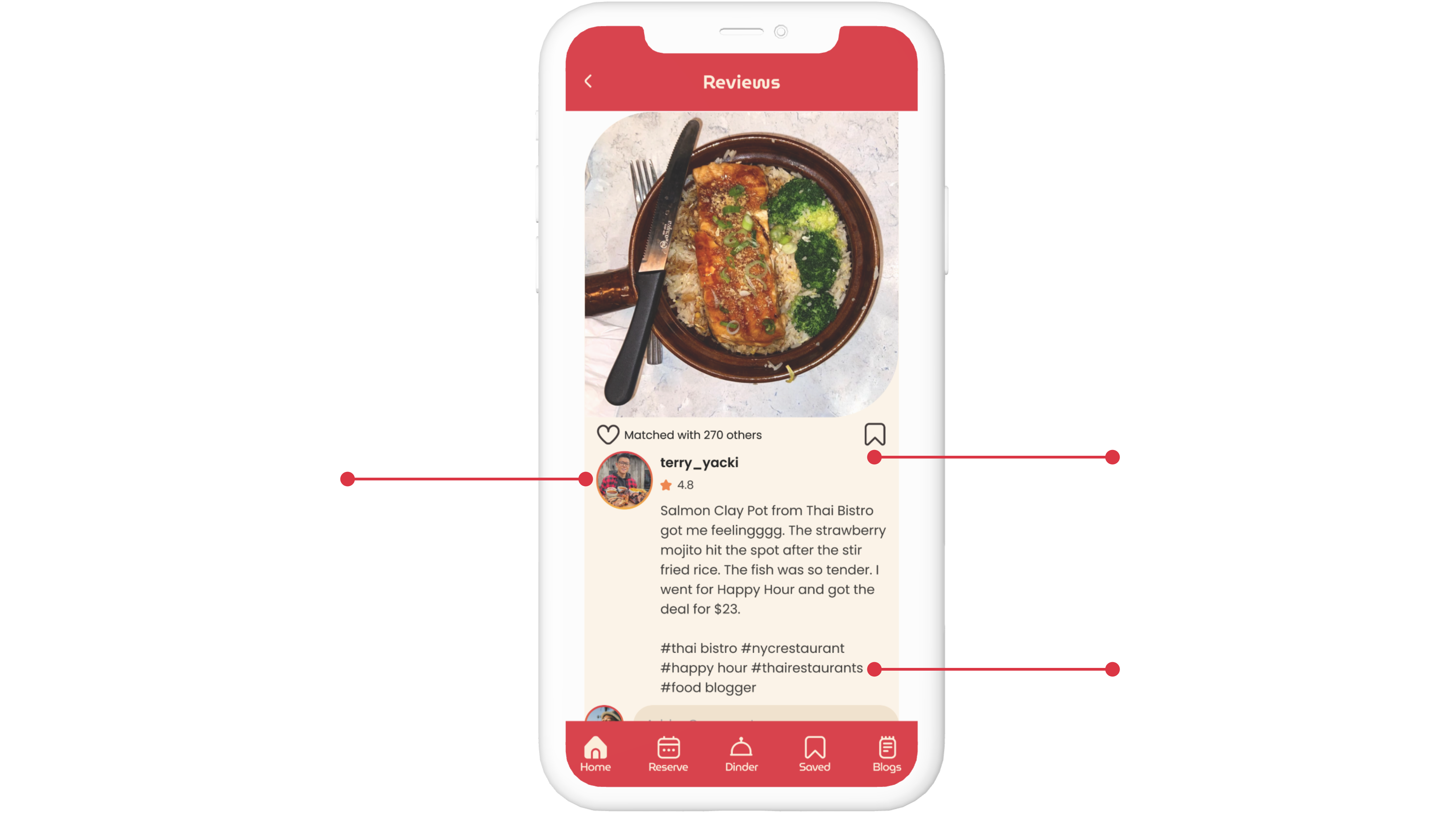
This smart feature extracts data from social media based on tags and location. It can be a combination of reels, photos, videos or tweets.
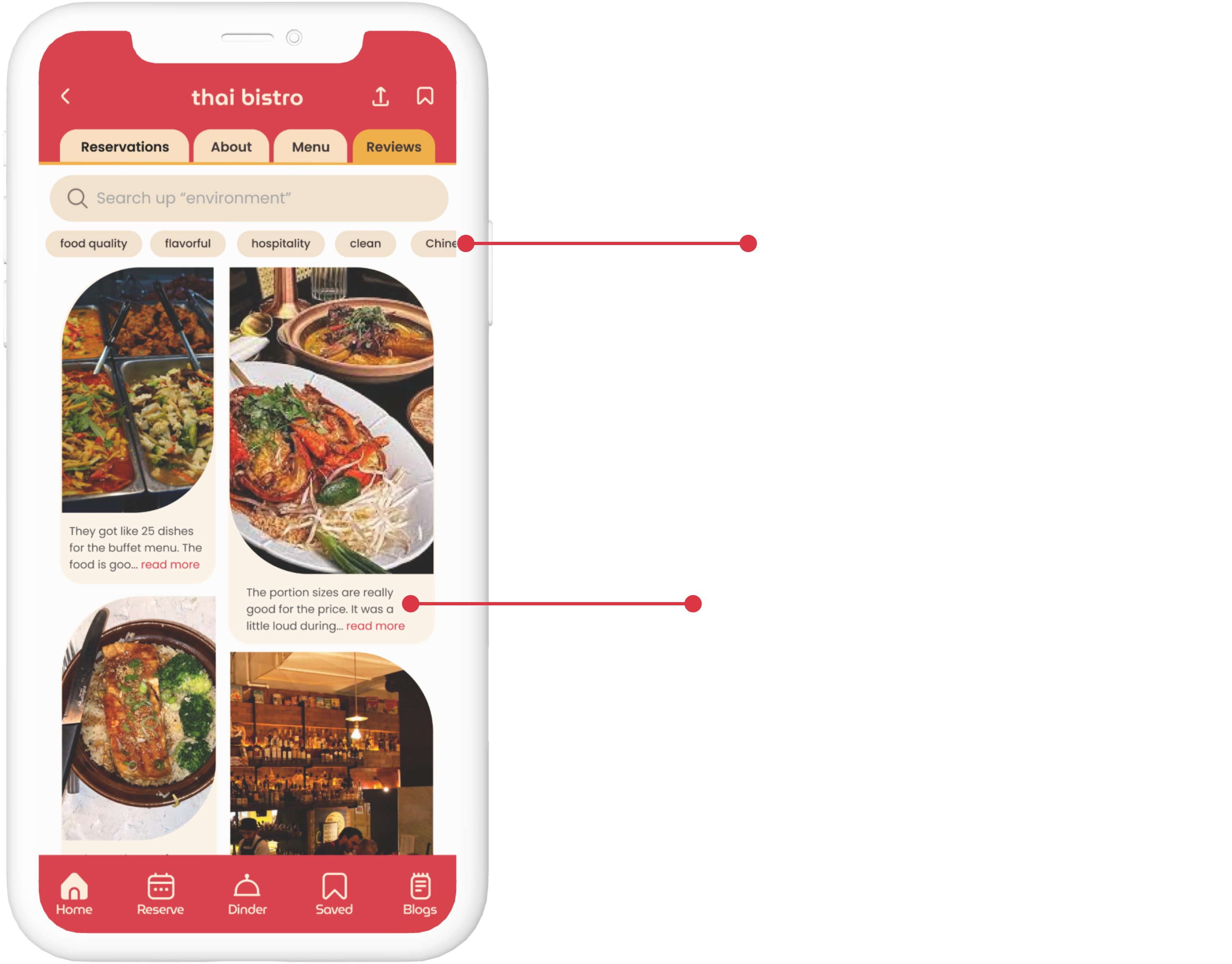
Reviews
It provides customers with real-time images of dishes and reviews from previous customers who have dined at the restaurant.
Articles of Food Blogs
This smart feature extracts data from websites of food bloggers, food critiques, food journalists, etc.
Feature 2
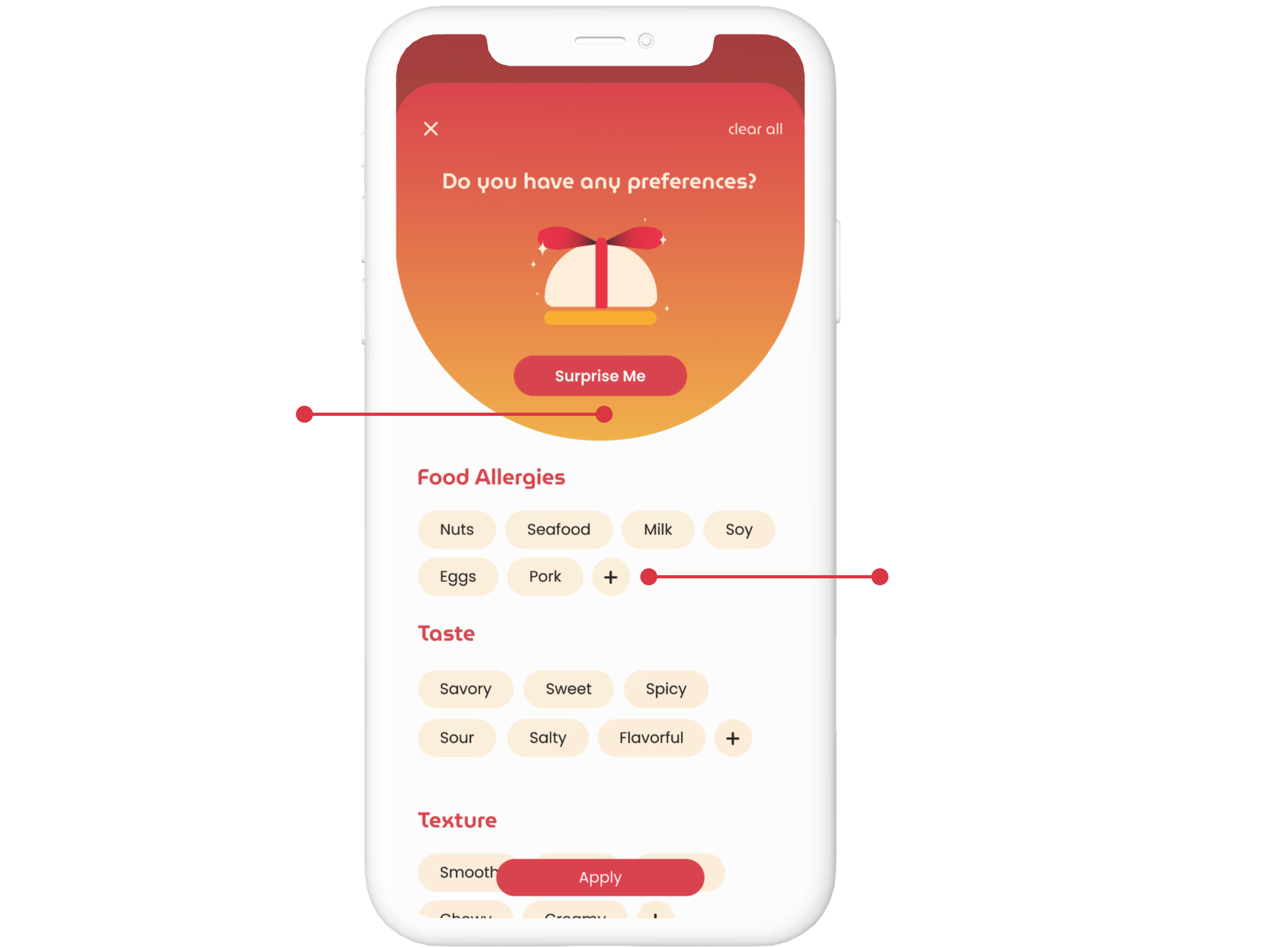
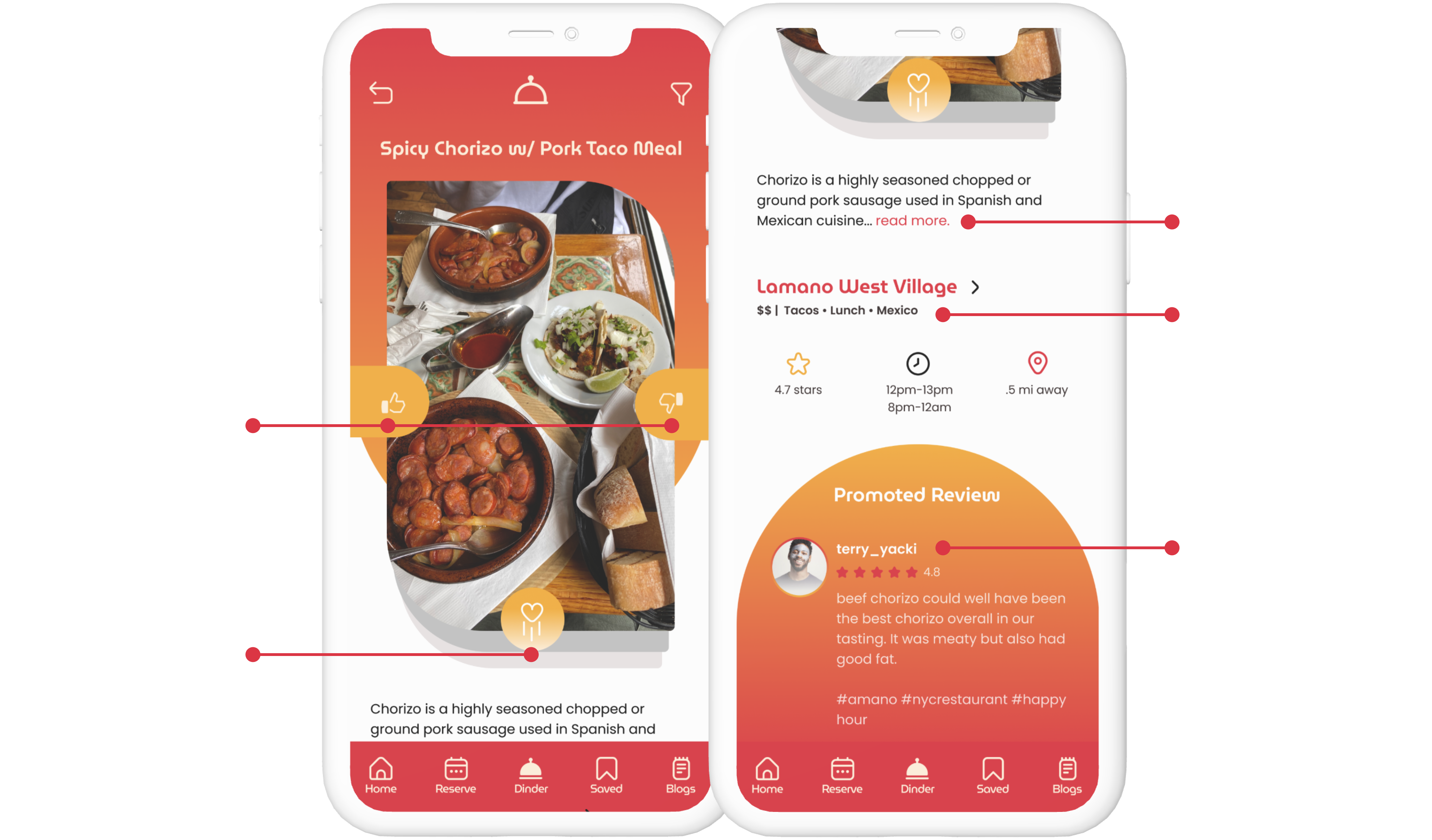
Introducing a feature that is like Tinder for food, where users can swipe right or left on dishes and cuisines while the app will provide recommendations for restaurants that specialize in those foods.
Preference Page
This feature is presented at the beginning to inquire the user’s cravings at the moment.
Swiping Page
After selecting preferences, the user is presented with a dish photo that is meant to create an easy reaction of ick or yum.
Feature 3
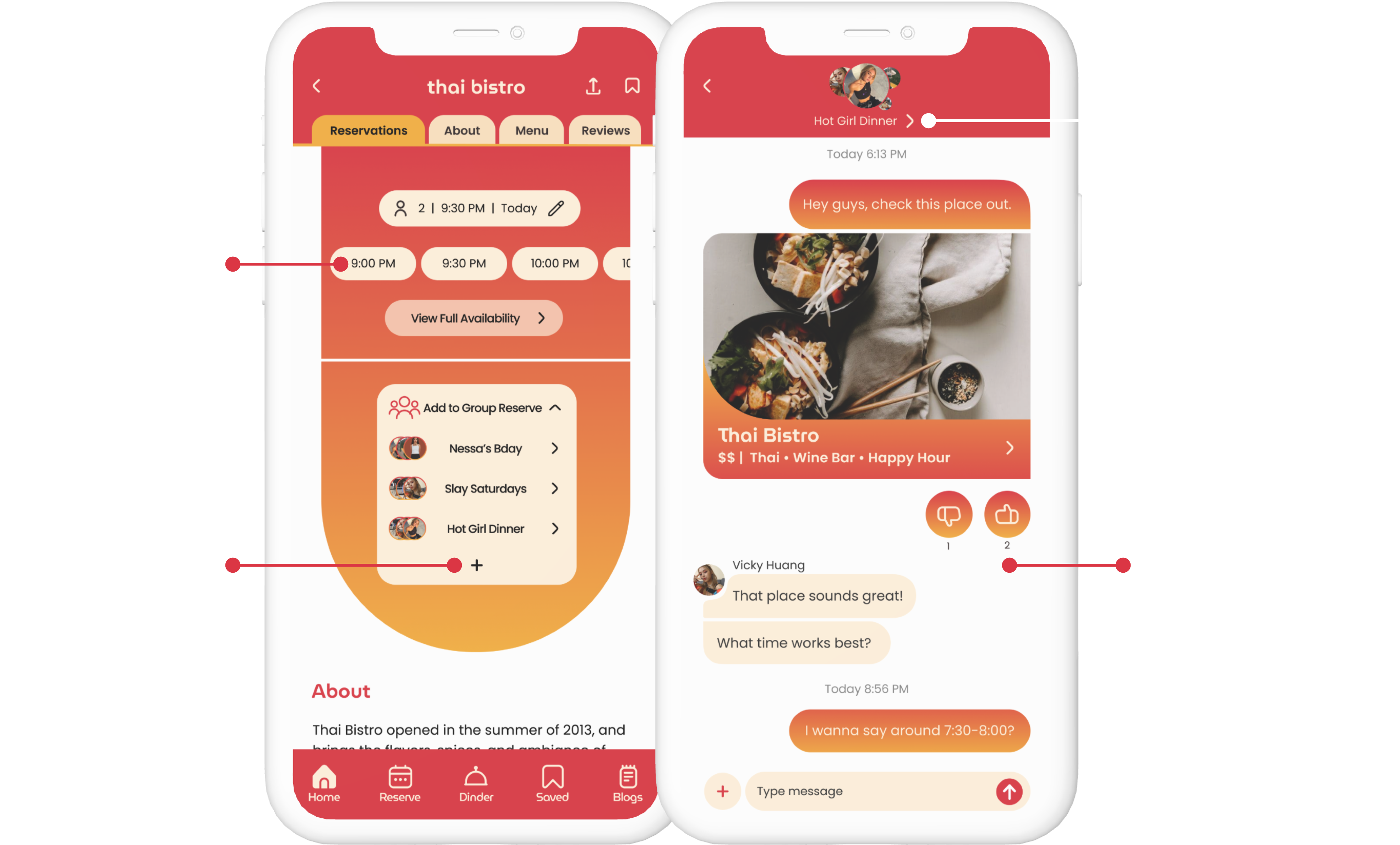
Streamline group reservations by conveniently booking everything in one place, without any unnecessary hassle.
Revamped Reservation Page
A new Reservation screen will give users a simplified and detailed options to choose from.
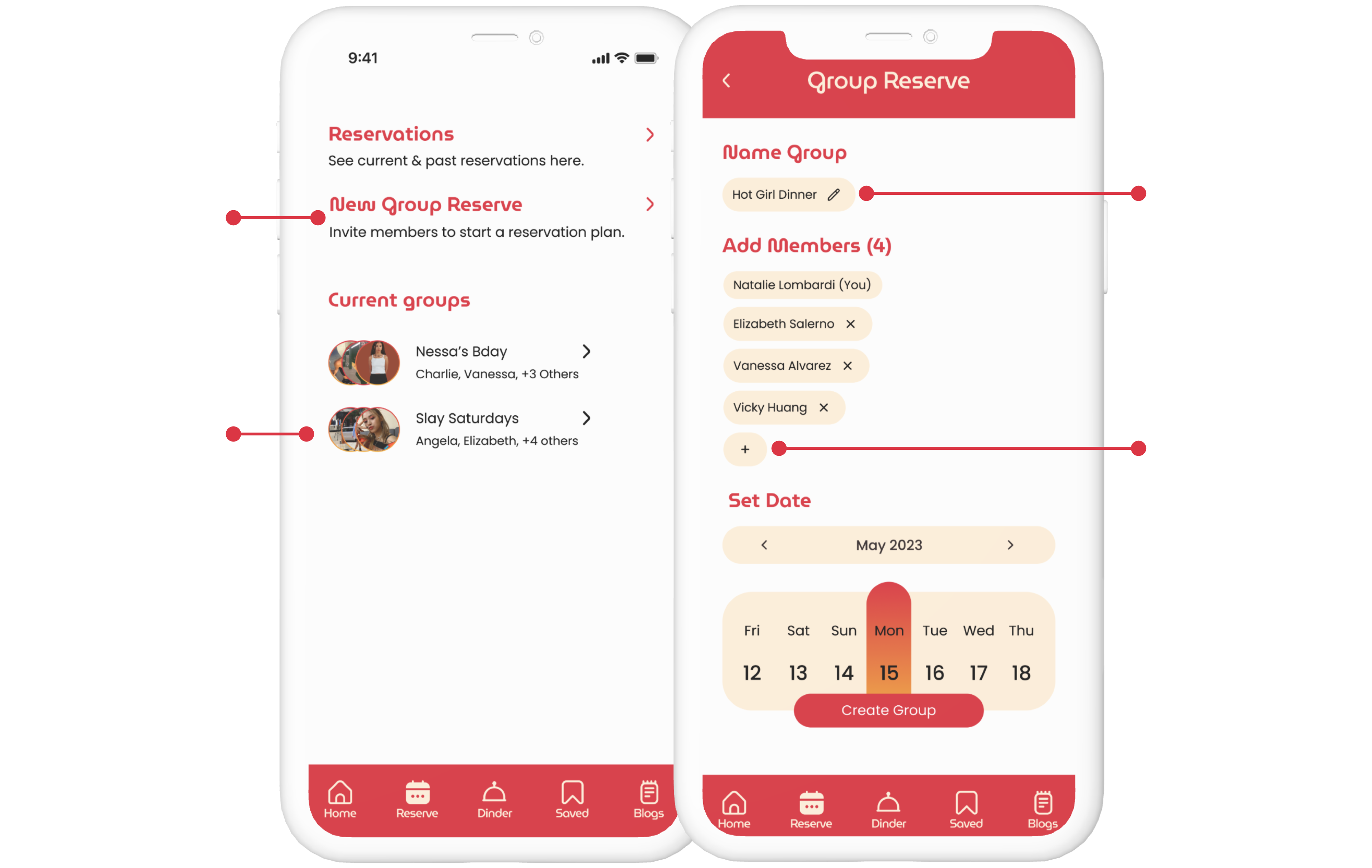
Add to Group Reserve
A new Reservation screen will give users a simplified and detailed options to either reserve for an individual, or to share a restaurant to a group reserve chat.
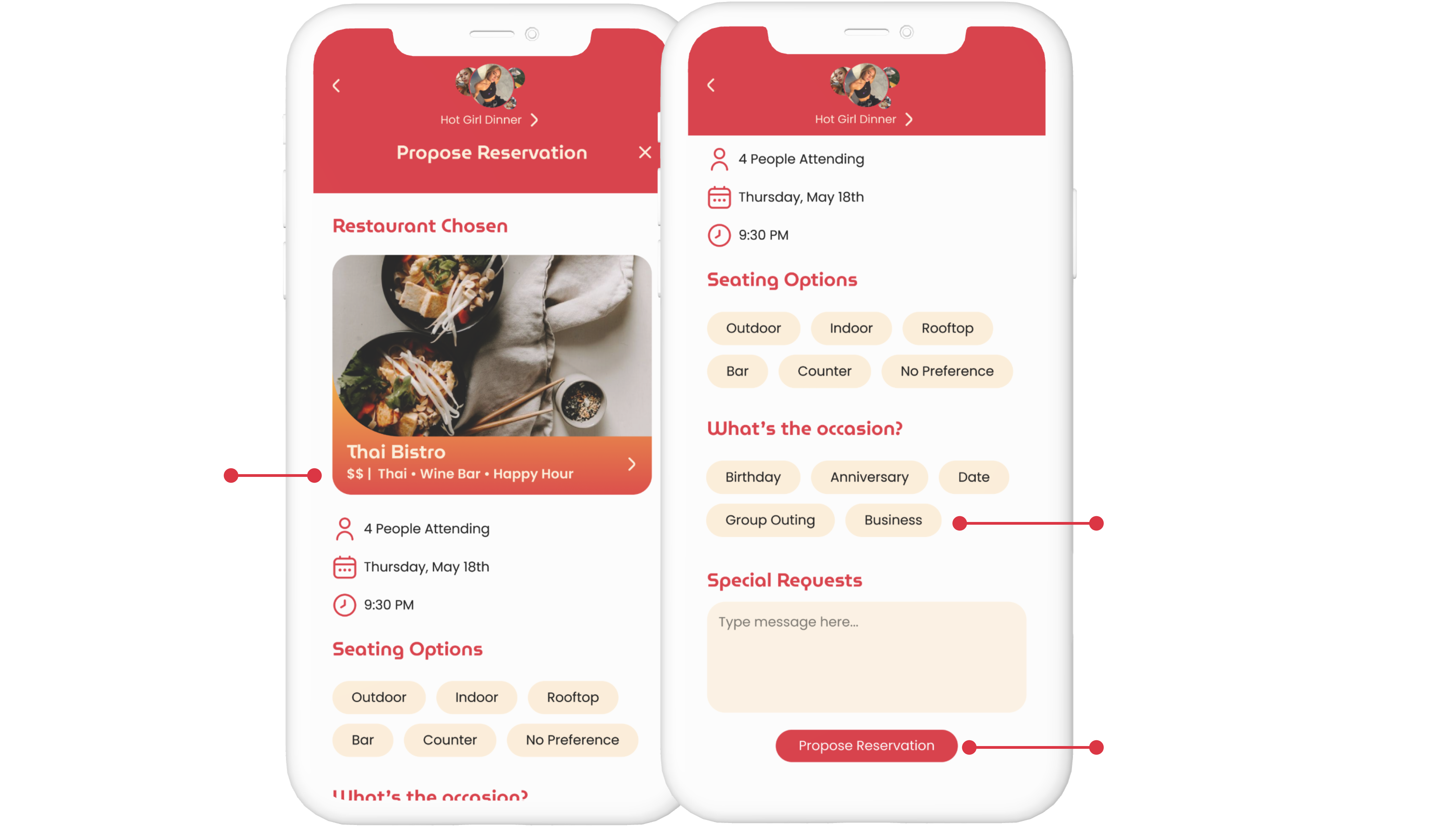
Propose a Reservation
Proposing a reservation to a reservation group, will allow members to view proposed details such as: restaurant, people attending, the date and time, and other information.
02 ART DIRECTION
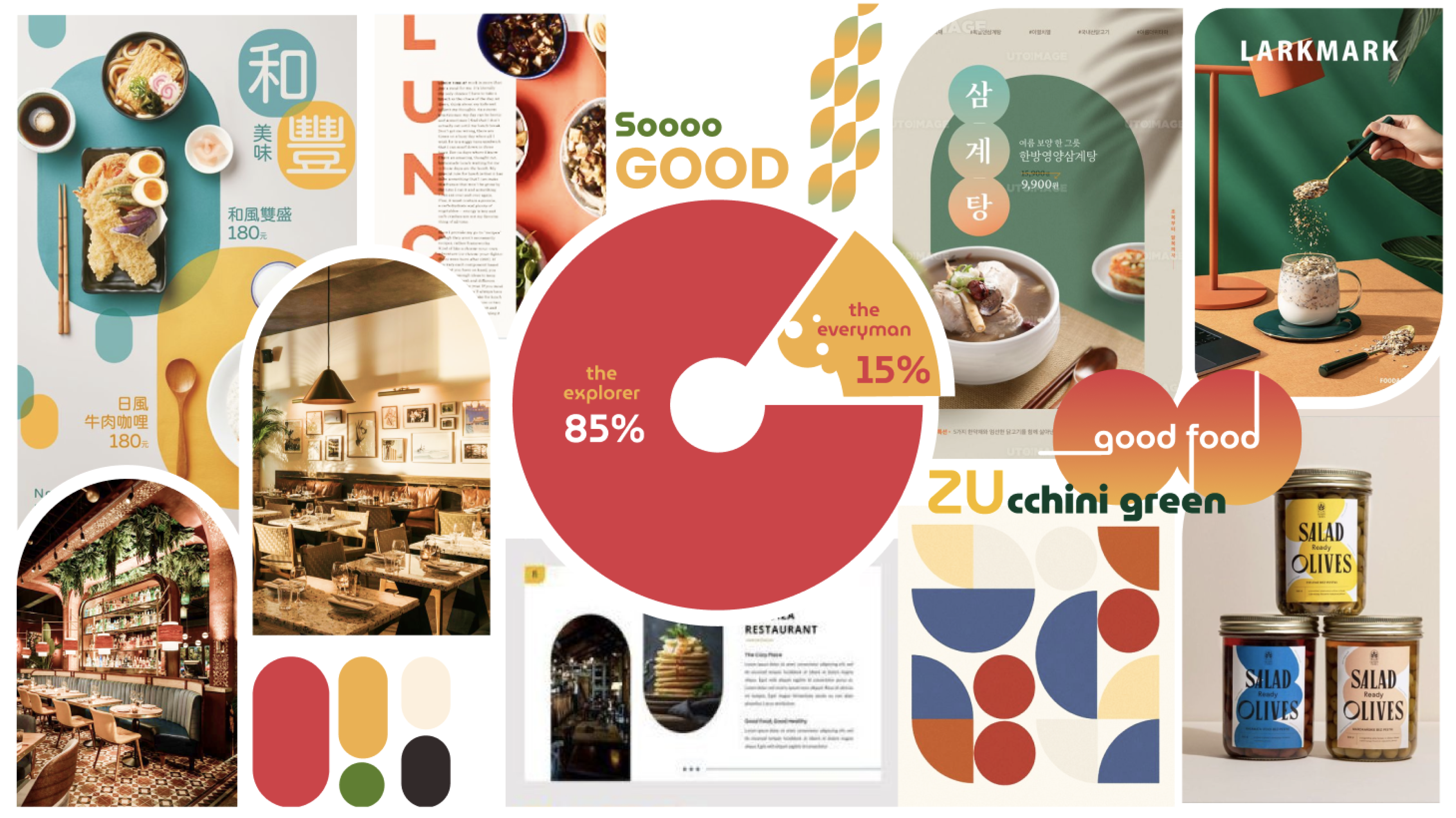
Design Principle
Invoke Hunger
Enhance food images through appetizing colors.
Be Welcoming
Use rounded san serif typefaces and rounded frames to appear friendly.
Keep it Simple
Reveal small amounts of information at a time.
Moodboard
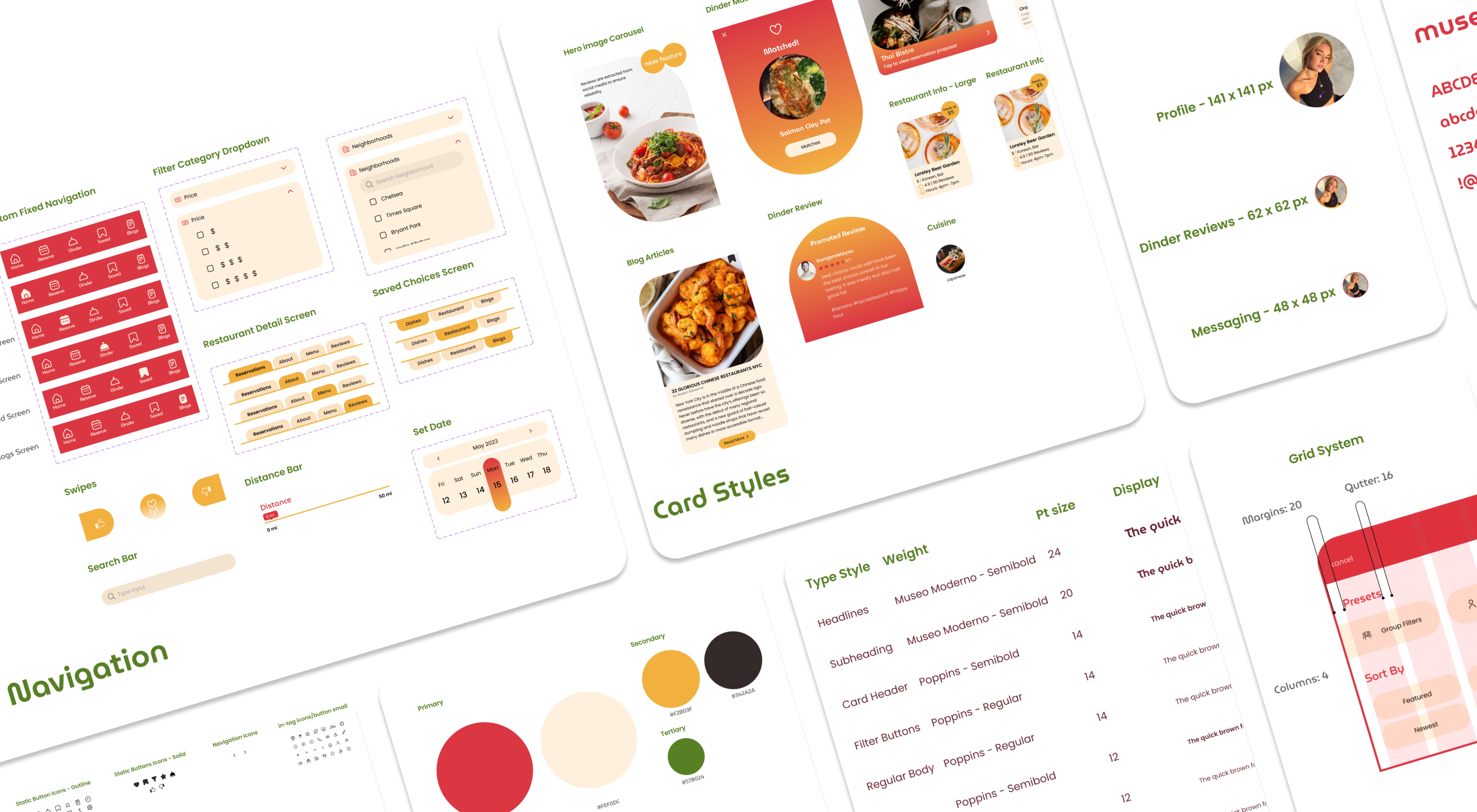
03 DESIGN SYSTEM